REVIEW · OAHU
Oahu: Pearl Harbor Admiral’s VIP Narrated Multimedia Tour
Book on GetYourGuide →Operated by Pacific Historic Parks · Bookable on GetYourGuide
Pearl Harbor can feel heavy. This Admiral’s VIP narrated multimedia tour uses Jamie Lee Curtis narration on your phone plus four VR experiences to help the story land while you move through the memorial.
I especially like the way the tour is designed for your timing: you’re not stuck waiting for a group to catch up. And I like that it pairs on-the-ground stops with multimedia (videos and library photos) so you get context before and after you look at the big sights. One possible drawback: the first few minutes can feel a little confusing until you get going with the audio guide, so give yourself a moment to settle in.
In This Review
- Key highlights you’ll care about
- Jamie Lee Curtis on Your Phone: What This Tour Actually Delivers
- 4 Hours of Guided Storytelling at Pearl Harbor National Memorial
- Starting at the Virtual Reality Center and Ticket Counter
- Visitor Center Museums: Getting Oriented Before You Face the Memorial
- USS Arizona Memorial Narration: What to Do If You Have the Ticket
- Path of Attack Shoreline Walk: Connecting the Dots Outside
- VR Center: Four Virtual Reality Experiences That Add Perspective
- Smartphone, Earbuds, and the Bag Rules That Affect Your Day
- What’s Included vs. What You Must Arrange on Your Own
- Price and Value: Is $34 Worth It Here?
- The Real-Life Tradeoffs: Timing, Orientation, and Flow
- Who This Tour Suits Best (and Who Might Skip It)
- Should You Book the Pearl Harbor Admiral’s VIP Multimedia Tour?
- FAQ
- How long is the Pearl Harbor Admiral’s VIP Narrated Multimedia Tour?
- Where do I exchange my voucher for this tour?
- Is the Arizona Memorial movie or boat ticket included?
- Is entry to the memorial free?
- What’s included in the tour?
- What should I bring?
- Are bags allowed?
- What languages are available?
- Can I visit any time during the day?
- FAQ
- Can I cancel for a refund?
- Is this tour wheelchair accessible?
Key highlights you’ll care about
- Jamie Lee Curtis narration on a smartphone that guides you through major stops
- Four separate VR experiences at the VR Center for extra perspective
- Built for 4 hours of multimedia and audio guidance, so you can plan a full visit
- Survivor stories + National Park Service historian insights for more than just facts
- Path of Attack shoreline tour that connects what you see to what happened on Dec 7, 1941
Jamie Lee Curtis on Your Phone: What This Tour Actually Delivers
The headline here is simple: your smartphone is the guide, and Jamie Lee Curtis is the voice. It’s a practical setup. You move at your pace, with narration timed to what you’re seeing.
I like that the tour is multi-format without being gimmicky. You’re not only listening. You’re also watching videos, using included content, and stepping into VR at the VR Center.
If you’re trying to make sense of where WWII began for the U.S., this format helps. Pearl Harbor can overwhelm your senses fast. This tour gives you a storyline that keeps your eyes from wandering aimlessly.
You can also read our reviews of more tours and experiences in Oahu.



4 Hours of Guided Storytelling at Pearl Harbor National Memorial
This experience is designed to run as a full day visit window, but with focused content: you get about four hours of guided multimedia and audio narration across the memorial.
You can visit the memorial any time on your booking day between 7:00 AM and 4:00 PM. That matters because Pearl Harbor is one of those places where crowds can change the feel from calm to hectic. If you want the experience to feel more manageable, pick a time that matches your energy.
The tour also includes a lot of “listen-and-look” pacing. You’ll hit key stops through the memorial while the narration connects the visual landmarks to the events and the people who lived them.
And yes, it’s narrated for multiple languages, including English, Chinese, French, German, Italian, Japanese, Korean, Spanish, and Russian—so you can plan a more comfortable experience for the whole group.
Starting at the Virtual Reality Center and Ticket Counter
Before you go anywhere, you’ll exchange your voucher. You can do this at either the Narrated Tours ticket counter or the Virtual Reality Center inside the entrance to the Pearl Harbor National Memorial.
This is worth paying attention to because it affects your day flow. Once your exchange is done, you’re ready to use the smartphone audio and get into the VR time with fewer hiccups.
The tour is hosted by Pacific Historic Parks, and the setup is clearly meant to get you moving. You’ll want a charged phone. The experience is built around it.
Quick practical note: you’ll be given earbuds as part of the tour. If you’re sensitive to sound, good earbuds make the narration easier to track in a busy environment.
Visitor Center Museums: Getting Oriented Before You Face the Memorial
Your phone-guided narration starts you at the visitor area and takes you through the visitor center’s two world-class museums. This is not just waiting indoors. It’s where you build a mental map before you step into the outdoor spaces.
That “build first, then look” order is a big reason this tour can feel easier to process. Pearl Harbor isn’t laid out like a simple monument. There are multiple layers: ships, memorials, shoreline context, and survivor accounts. The museum segment helps you keep those layers straight.
I also like that the tour isn’t only museum talk. It keeps you connected to what you’ll see next, which makes the overall visit feel like one story rather than separate stops.
USS Arizona Memorial Narration: What to Do If You Have the Ticket
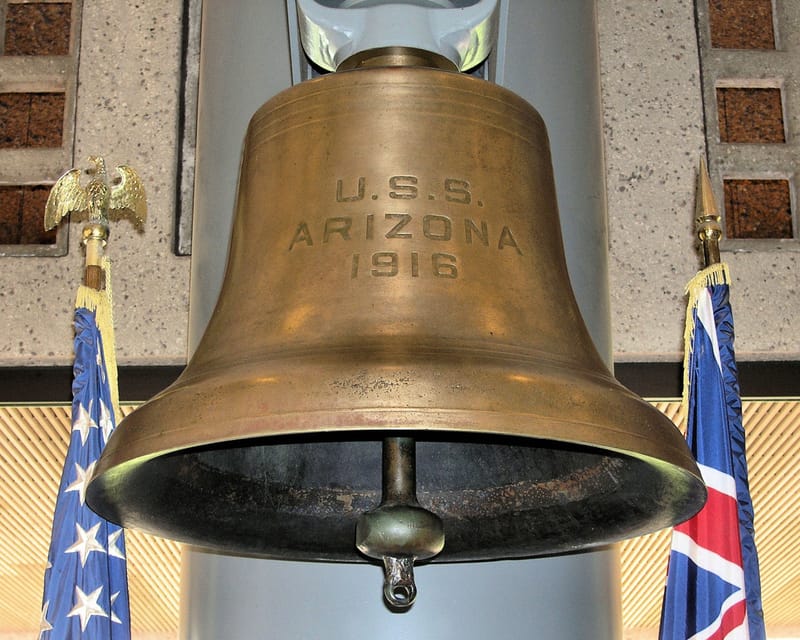
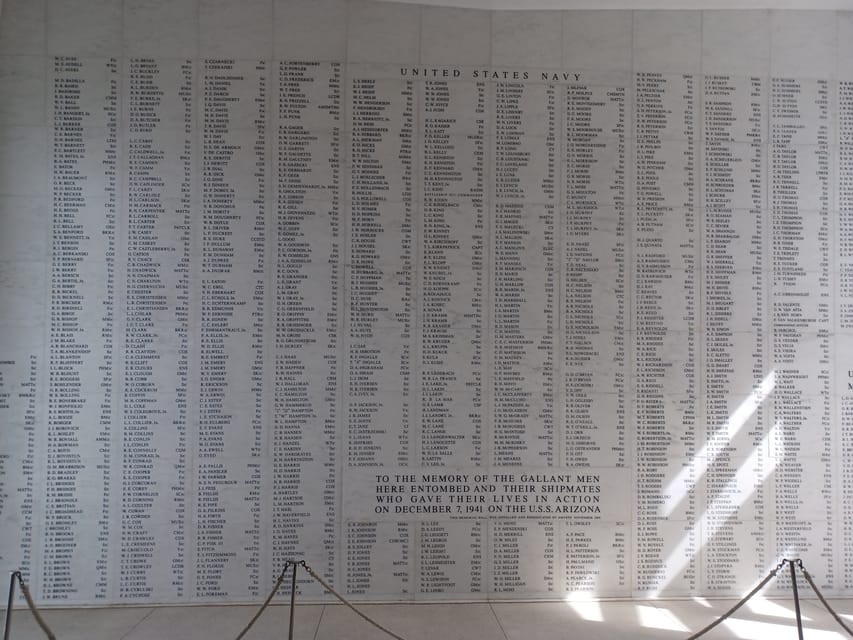
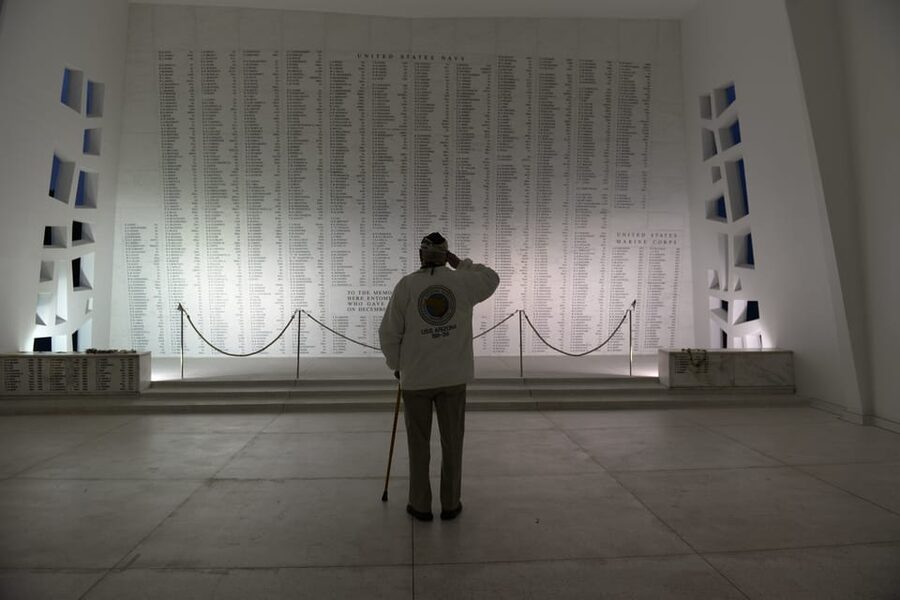
The tour includes narration aboard the USS Arizona Memorial for guests who have purchased the needed tickets. That’s important, because the Arizona Memorial itself requires ticketed entry—even though entry to the overall memorial grounds is free.
One thing you should know up front: the tour does not include the Arizona Memorial movie or boat tickets. So if you want the aboard-memorial narration, make sure you have the right ticket set aside for your visit day.
If you do have those tickets, this part becomes more than just a viewing experience. Your smartphone narration helps you follow what you’re looking at as the memorial portion of the story plays out.
Path of Attack Shoreline Walk: Connecting the Dots Outside
After the visitor center portion, your narration continues along the shoreline on the Path of Attack Tour. This is where Pearl Harbor shifts from museum learning to lived-in geography.
This part matters because the shoreline view helps explain the sequence of events. Without this kind of guidance, it’s easy to stare at the harbor and miss how the layout shaped the attack and its fallout.
You’ll hear the story through Pearl Harbor survivors and National Park Service historians, with your audio guide helping you retrace the events of December 7, 1941.
Even if you know the basics, I find shoreline narration changes the experience. It turns dates and headlines into a route and a sequence. That makes the whole thing easier to remember later.
VR Center: Four Virtual Reality Experiences That Add Perspective
The VR Center is built for the “extra context” phase of your visit. Here you get four unique VR experiences, plus included content like videos and Arizona Memorial library photos.
What’s good about adding VR here is timing. VR can feel like distraction if you use it randomly. But placed after you’ve gotten museum context and before you leave the main memorial areas, it tends to help you “see the story” rather than just hear it.
Also, VR is a great tool when a place has limited direct visuals. The harbor and memorial landscape are powerful, but they can’t fully explain what people experienced in the moments of the attack. VR helps fill that gap, without replacing the real site.
When you plan your day, try not to treat VR like a quick add-on. Give it the attention you’d give to a strong exhibit. You’ll get more out of it that way.
Smartphone, Earbuds, and the Bag Rules That Affect Your Day
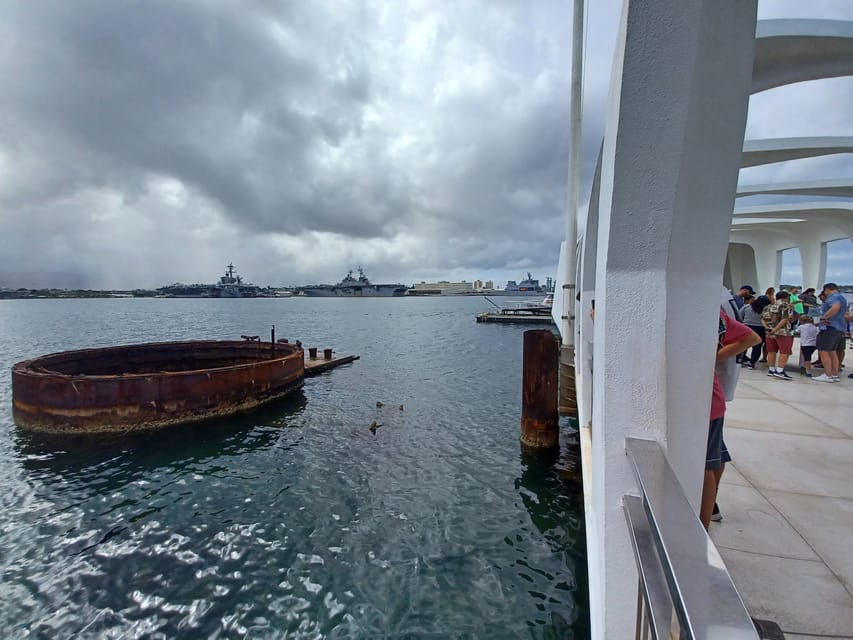
This tour is powered by your phone. That’s why the “what to bring” list is short but serious: bring a charged smartphone.
You’ll also get earbuds with the tour, which is handy because you don’t have to hunt for your own. Keep your phone volume at a comfortable level—loud enough for you, low enough not to bother others.
There are also clear restrictions: no luggage or large bags. In other words, travel light. Bring what you need for comfort, but don’t plan on storing anything bulky.
If you hate dealing with security or bottlenecks, arrive with minimal items and you’ll spend less time waiting and more time absorbing the narration.
What’s Included vs. What You Must Arrange on Your Own
Here’s the value picture in plain terms.
Included:
- Multimedia smartphone audio guide
- Earbuds
- Four VR experiences
- Videos and Arizona Memorial library photos
Not included:
- Arizona Memorial movie or boat tickets
Also, entry to the memorial grounds is free, but ticketed entry is still required for the Arizona Memorial experience. So your planning should separate “grounds entry” from “memorial boat/movie entry.”
If you’re trying to avoid stress, I recommend you lock your Arizona Memorial tickets first, then choose your tour time on the same day window.
Price and Value: Is $34 Worth It Here?
At $34 per person, you’re paying for structure and context, not just access. The memorial itself is free to enter, but the tour adds the guided layer: narration, VR, and multimedia content that helps you understand what you’re seeing.
I think this price makes sense if you want:
- a guided storyline (instead of wandering with only signage),
- extra layers of interpretation (survivors + historians),
- and VR content that expands the experience beyond the physical landmarks.
It’s also a good fit if your group has mixed interest levels. The audio guide lets you keep going without stopping every time someone needs a mini lesson.
The only cost-side caution is the Arizona Memorial tickets. Since those aren’t included, your total day cost can be higher depending on what ticket tier you need. But the tour itself is still priced reasonably for the amount of guided content you receive.
The Real-Life Tradeoffs: Timing, Orientation, and Flow
There’s one practical consideration that comes up with this kind of smartphone-guided experience: the start.
The early part can feel a bit unclear until you’re fully underway with the audio guide. My advice is to plan a little patience in the first minutes. Don’t judge the whole tour based on a shaky beginning. Once you start moving through the stops, the narration cues make more sense.
Timing matters too. The memorial operates within a day window, and your VR time is part of the plan. If you rush, VR won’t feel as useful.
Finally, keep your expectations grounded. This is a story-guided experience, not a private tour. You’ll be in a public, high-interest site. Bring realistic pacing, and you’ll get a better day.
Who This Tour Suits Best (and Who Might Skip It)
This Admiral’s VIP tour is a great match if you:
- want to understand what happened on Dec 7, 1941 beyond basic facts,
- like audio guidance you can control with your phone,
- and enjoy VR experiences that support real-world visiting.
It’s also a solid option if you want a visit that lasts longer than the “see it, leave” version. With the four VR experiences and the guided stops, the day feels filled in the right way.
Who might not love it?
If you already have a detailed self-guided plan and don’t want VR, you could skip the add-on and rely on onsite materials. But if you want someone to guide your attention, this does that job.
Should You Book the Pearl Harbor Admiral’s VIP Multimedia Tour?
I’d book it if you want the memorial to feel organized and meaningful, not just impressive. The best part is the combination: Jamie Lee Curtis narration, survivor and historian storytelling, and four VR experiences that help you connect the dots.
Before you book, do two things: confirm your Arizona Memorial tickets separately if you want the aboard narration, and make sure your smartphone is charged so you don’t lose time at the start.
If you can do those, $34 per person looks like a smart way to get more understanding out of one of the world’s most important memorial sites.
FAQ
How long is the Pearl Harbor Admiral’s VIP Narrated Multimedia Tour?
The tour lasts 1 day, with about 4 hours of multimedia and audio guided content.
Where do I exchange my voucher for this tour?
Exchange your voucher at the Narrated Tours ticket counter or at the Virtual Reality Center just inside the entrance to the Pearl Harbor National Memorial.
Is the Arizona Memorial movie or boat ticket included?
No. The Arizona Memorial movie or boat tickets are not included in this tour.
Is entry to the memorial free?
Entry to the Pearl Harbor National Memorial grounds is free, but you still need a ticket to enter the Arizona Memorial portion.
What’s included in the tour?
You get a multimedia smartphone audio guide, earbuds, four VR experiences, and videos plus Arizona Memorial library photos.
What should I bring?
Bring a charged smartphone, since the audio guide runs on your phone.
Are bags allowed?
No. Luggage or large bags are not allowed, and bags are not allowed.
What languages are available?
The host or greeter and the audio guide are offered in English, Chinese, French, German, Italian, Japanese, Korean, Spanish, and Russian.
Can I visit any time during the day?
You can visit on your booking day between 7:00 AM and 4:00 PM.
FAQ
Can I cancel for a refund?
Yes. You can cancel up to 24 hours in advance for a full refund.
Is this tour wheelchair accessible?
Yes, the tour is wheelchair accessible.
(If you want, tell me your approximate visit date and whether you already have Arizona Memorial tickets. I can suggest the smoothest way to schedule your day.)